TIC Desk is the browser version of the TIC app, on the same account as your phone. This spotlight covers what these two screens do, what they deliberately do not do, and how to use them as a risk habit rather than a source of trade ideas. We read the Desk code to check every behaviour described here.
What Does the Economic Calendar on TIC Desk Show?
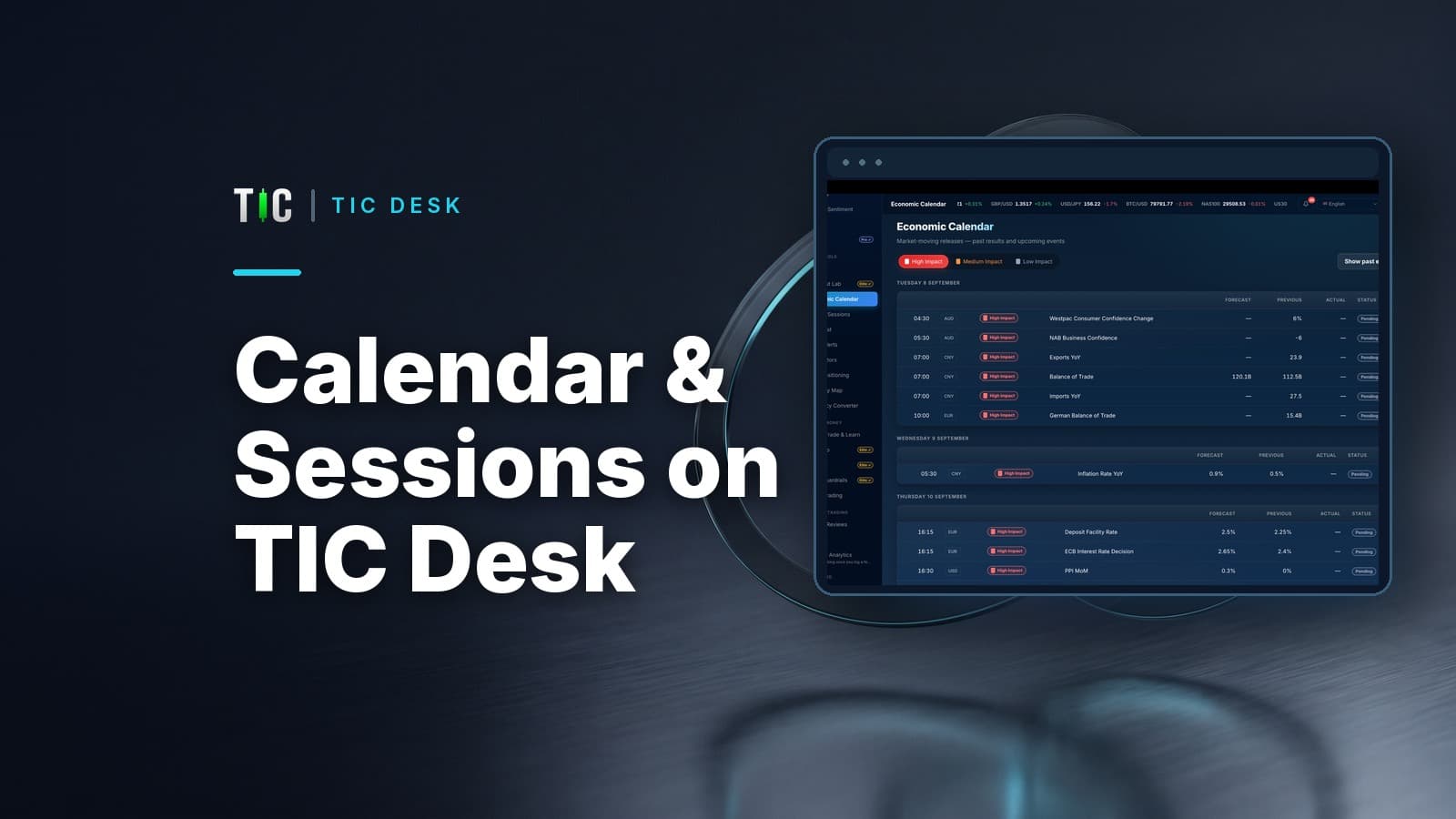
It lists scheduled economic releases from three days ago to fourteen days ahead, grouped by day, with the time, currency, impact level, forecast, previous figure, actual figure and a status. You can filter to high, medium or low impact, and a "Show past events" switch brings back the recent releases so you can see how actual figures compared with forecasts.
| Column | What it means on Desk |
|---|---|
| Time | Converted to your browser's time zone automatically |
| Impact | High, Medium or Low; hover for what each level usually means |
| Forecast | The expected figure before publication |
| Previous | The last release, which may later be revised |
| Actual | The published result; a dash means no figure yet |
| Status | Pending, Released, or Awaiting result if the time passed without a figure |
Around a high-impact release the screen refreshes faster: from a minute before to twenty minutes after, while the actual figure is still missing, Desk checks every 15 seconds instead of every 90. You can also set a reminder on an upcoming event, which arrives as a browser notification about an hour before.
What Does Market Sessions Show?
It shows the four forex sessions, Sydney, Tokyo, London and New York, as bars in your local time, with which ones are open now, a countdown to the next change, and the London and New York overlap highlighted. You can switch on a reminder for each session opening.
For a reader in Makkah time (GMT+3), this is what Desk displays while the US is on summer time, which in 2026 runs until 1 November. After that, each time moves one hour later.
| Session | Makkah time (US summer time) | Makkah time (US winter time) |
|---|---|---|
| Sydney | 00:00 to 09:00 | 01:00 to 10:00 |
| Tokyo | 02:00 to 11:00 | 03:00 to 12:00 |
| London | 10:00 to 19:00 | 11:00 to 20:00 |
| New York | 15:00 to 00:00 | 16:00 to 01:00 |
| London and New York overlap | 15:00 to 19:00 | 16:00 to 20:00 |
One honest detail: Desk defines all four sessions on New York time, a common forex convention, and the trading week as Sunday 17:00 to Friday 17:00 New York time. Real exchanges in London or Tokyo keep their own clocks, so a session edge can differ by an hour from a local exchange's hours for a few weeks around clock changes. Our guide to gold trading hours from the Gulf explains why the overlap matters most for gold.
What Do These Screens Not Do?
They do not tell you what to trade. The calendar shows that a release is coming; it does not predict the number or the market's reaction. Four further limits matter:
- Figures are for orientation. Desk displays forecasts and actuals exactly as received from its data feeds and does not treat them as authoritative to the decimal. For the official figure, check the source, such as the Federal Reserve's FOMC calendar or the US Bureau of Labor Statistics release schedule for the jobs report.
- Event titles are in English in every language version of Desk.
- Reminders need Desk open. Calendar and session reminders are browser notifications. They work while Desk stays open and your device is awake, reset if you refresh, and may be delayed in a background tab. For reminders when Desk is closed, use the TIC app on your phone.
- Notifications need your permission. If your browser blocks them, Desk shows that the reminder is unavailable rather than failing silently.
Who Is This For?
Anyone who trades during working hours at a desk and wants the release schedule and session clock on a large screen beside their charts. It is most useful as a defensive routine: check the calendar each morning, mark the high-impact releases for the currencies you trade, and decide in advance whether you will be flat, smaller or waiting. Our guide on how to read the economic calendar covers why spreads widen and stops slip around those releases.
Neither screen needs a broker connection or any of your trading data. Reminders are held in your open browser session only; Desk does not save them to your account.
How Do You Open It?
Sign in at ticai.io/desk with your TIC account, then choose Economic Calendar or Market Sessions from the sidebar. Both are included in the Free plan. If you are new to Desk, our introduction to TIC Desk walks through the rest of the screens.
Trading carries high risk and you may lose your capital. Past performance does not guarantee future results. Educational only, not investment advice.
Available on iOS and Android
iOS — App Store
iPhone and iPad — free download
Android — Google Play
All Android devices — free download
Download TIC Free Today
Full academy, paper trading, and four calculators — no credit card required. Upgrade to Pro or Elite when you're ready.
The TIC App subscription is separate from the copy-trading 30% performance fee — they are two independent services.
Verify any trader's results in 10 minutes
Seven checks that reveal whether a track record is real: third-party verification, maximum drawdown, trade count, and the martingale warning signs. Use it on anyone — including on us.
We'll send the checklist plus occasional TIC insights. We never share your email, and you can unsubscribe any time.